
If
you have a viewing card in your set top box, take it out. You will
not store Top Up TV channels if a card is inserted. |
||
Press
the
MENU
button on your remote control. The
Main Menu
screen will be displayed. Press the DOWN arrow on your remote control until Option 5 Getting Started is highlighted. Press the SELECT button. |
 |
|
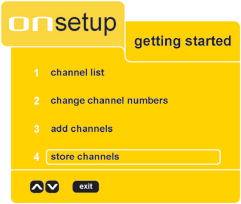
Press
the DOWN
arrow on your remote control until Option
4 Store Channels is
highlighted. Press the SELECT button. |
 |
|
A
reminder will appear, for information this may change your current
channels list. Press the SELECT button. |
 |
|
Your
Set Top Box will automatically start searching for the new channels. This search can take up to about 20 minutes. |
 |
|
When
the search ends you may briefly see a message that indicates the
box is storing the channels. You will then see a list of channels which will now include Top Up TV. |
||
